
 InsightHubFree WordPress plugin
InsightHub for WordPress & WooCommerce.
One plugin connects your site to InsightHub: an AI assistant that answers your visitors in chat and on the phone, a leads inbox with forms, a helpdesk for email and WhatsApp, a booking calendar and a smarter on-site search. You switch on what you need — every feature stays off until you do.
 WordPress
 Bricks
 Elementor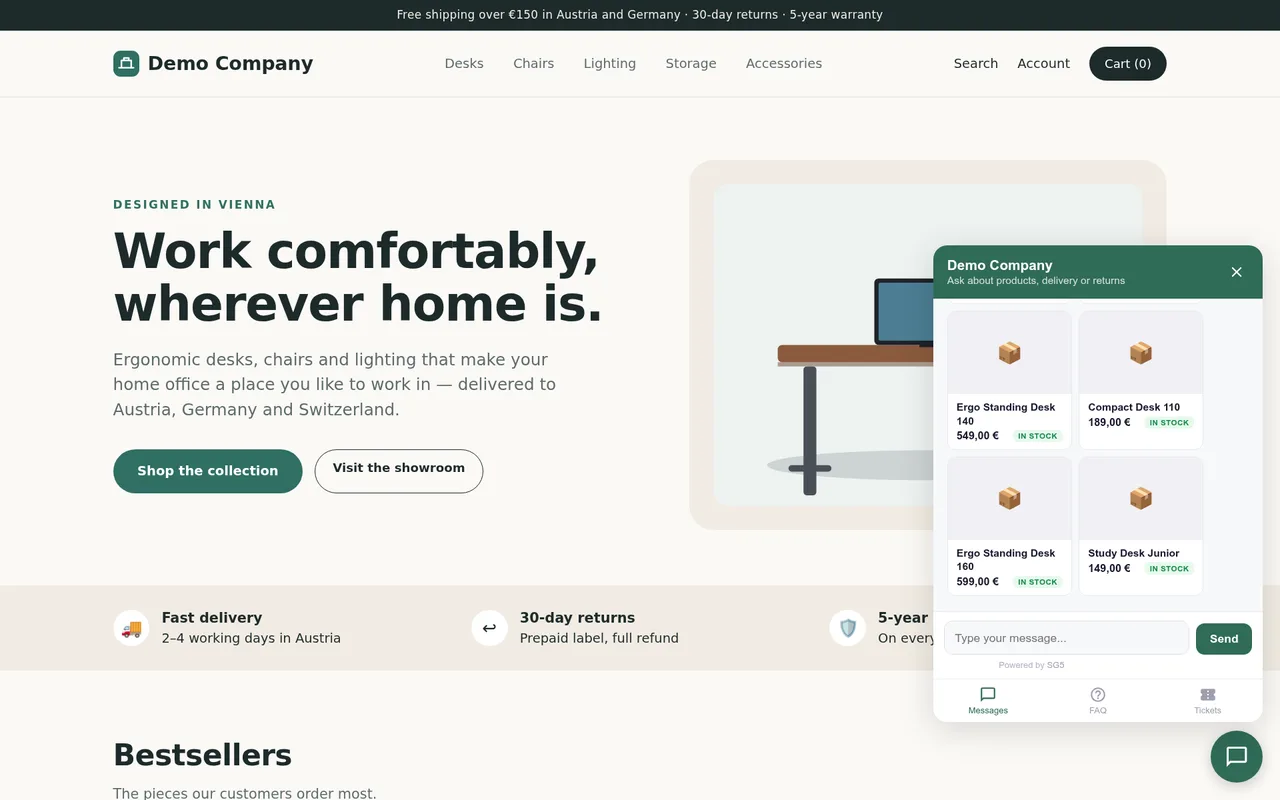
Everything InsightHub does —
on your WordPress site.
Each block is a switch in the plugin settings. Chat, leads and forms, helpdesk, booking and search work on any WordPress site; the WooCommerce extras need WooCommerce.
AI chat widget
- Answers from your own content — pages, posts and products are synced to InsightHub, so the assistant answers product, delivery and service questions from your live catalog.
- Order lookup (opt-in) — shoppers can ask about their order status.
- A person can take over — reply yourself from InsightHub at any time; the AI steps back and resumes when you are done.
- Every language — the assistant answers in the visitor's language; messages can be translated for your team.
Leads and forms
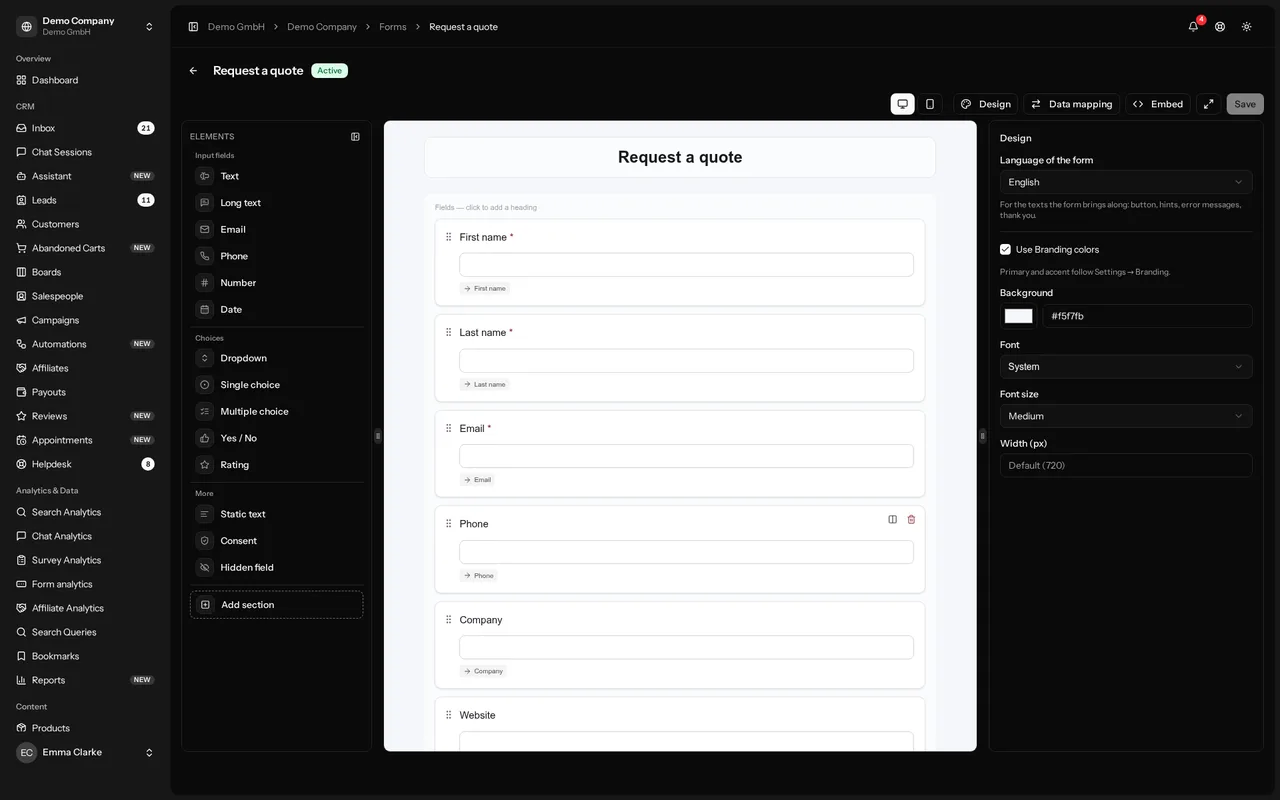
- Form builder — build forms in InsightHub and show them on any page with the InsightHub Form block, the shortcode, the Bricks element or the Elementor widget, inline or as a popup button.
- Your existing forms — Elementor Pro and Bricks forms send their submissions to InsightHub with one action.
- Spam protection — invisible; your visitors never have to solve a CAPTCHA.
- One leads list — every inquiry from forms, chat, WhatsApp, email and phone in one place, with tags, custom fields, assignees and campaign attribution.
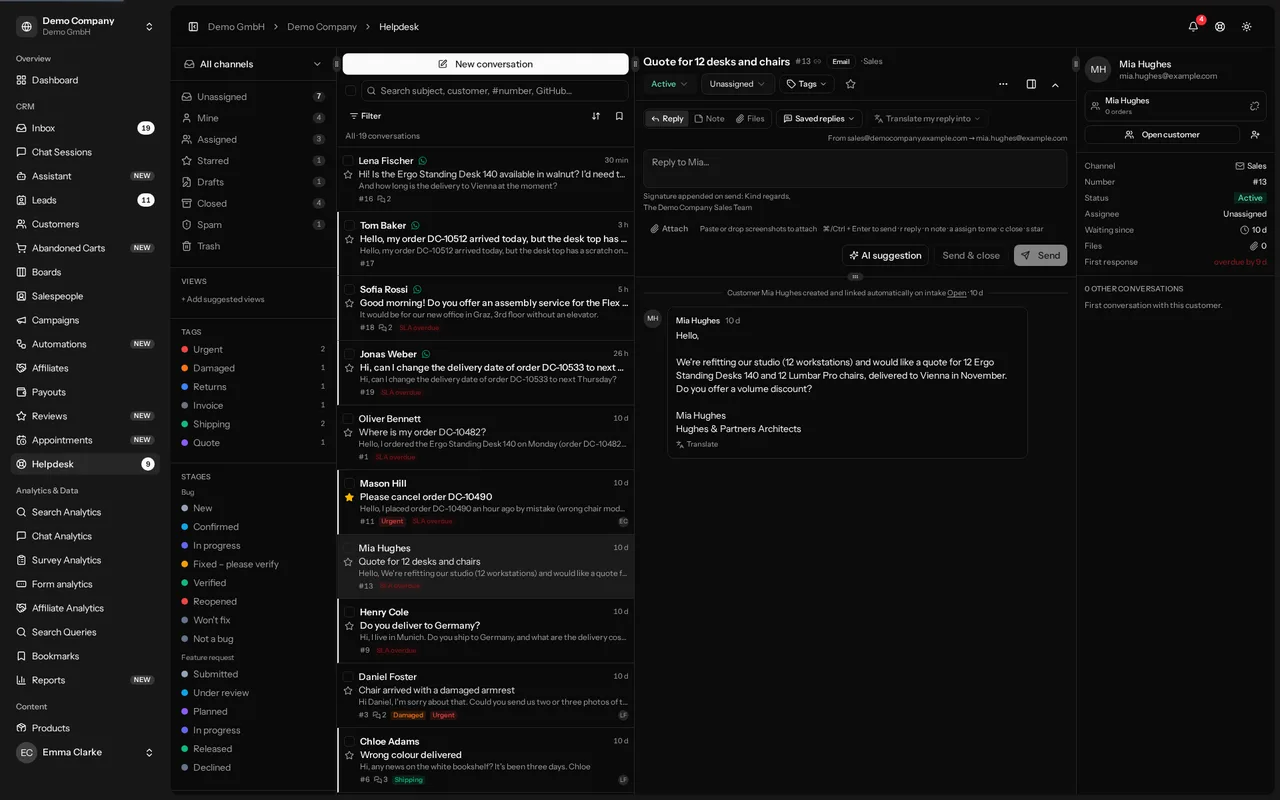
Helpdesk
- Email and WhatsApp as conversations — shared inbox, notes, saved replies, tags, assignees and SLA.
- AI suggestions — a proposed reply for every conversation, in your tone.
- Translation — translate what customers write and what you reply, in one click.
Booking calendar
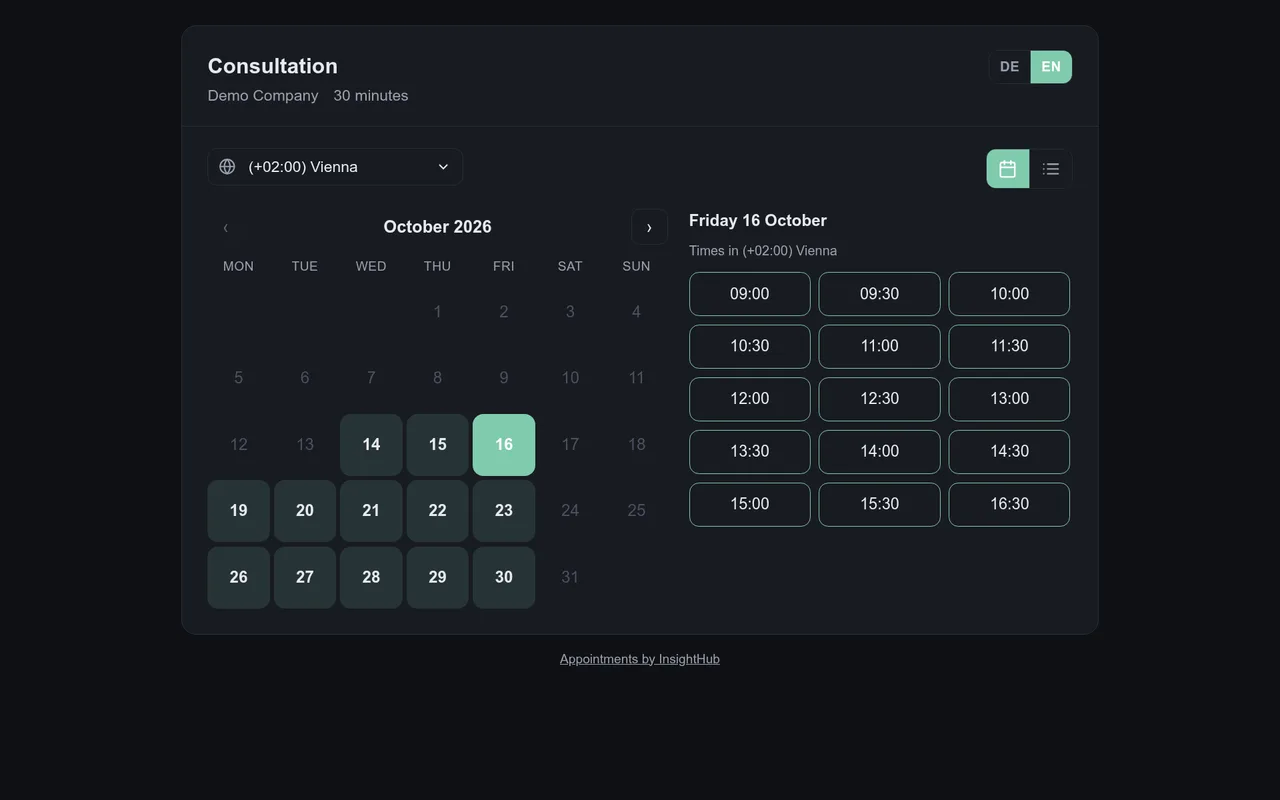
- Self-service booking — customers pick a free time and book themselves on your booking page, embedded with the InsightHub Booking block, the shortcode, the Bricks element or the Elementor widget.
- Meeting links and reminders — Zoom, Microsoft Teams or Google Meet links, confirmation and reminder emails, and a link to reschedule or cancel.
- Several booking types — different durations, locations and availability per type.
- Calendar sync — Google Calendar, Microsoft 365 (Outlook), Apple iCloud or any CalDAV calendar; several calendars per site, and busy times from all of them stay blocked.
Voice assistant
- Calls answered — the assistant answers your phone, answers questions from your content, takes messages and books appointments.
- Everything in InsightHub — transcript, caller and lead for every call. Needs a phone number from InsightHub.
Search
- Three modes — Off (analytics only), Refine (InsightHub steps in only when WordPress search finds nothing) and Replace (InsightHub ranks every result).
- Typo correction and synonyms — a zero-result search is retried with the corrected term, with a clear “showing results for …” notice.
- Products and content together, with WooCommerce layered-nav filtering and sorting on the standard results page.
Analytics and conversions
- Search analytics — every search with its results, and the searches InsightHub rescued.
- Conversion tracking (opt-in) — visits and clicks on WhatsApp, phone, email and booking links as goals; campaign and UTM attribution for leads and orders.
WooCommerce extras all opt-in, off by default
- Order tracking — completed orders for search-to-purchase analytics and order lookup in the chat.
- Abandoned-cart recovery — capture carts with checkout consent, send recovery emails and restore the cart with one click.
- Reviews slider — your latest product reviews anywhere with a shortcode; import your Google reviews and choose which ones appear.
- Post-purchase banner — a survey or form on the thank-you page, prefilled from the order.
Set up in WordPress,
run in InsightHub.
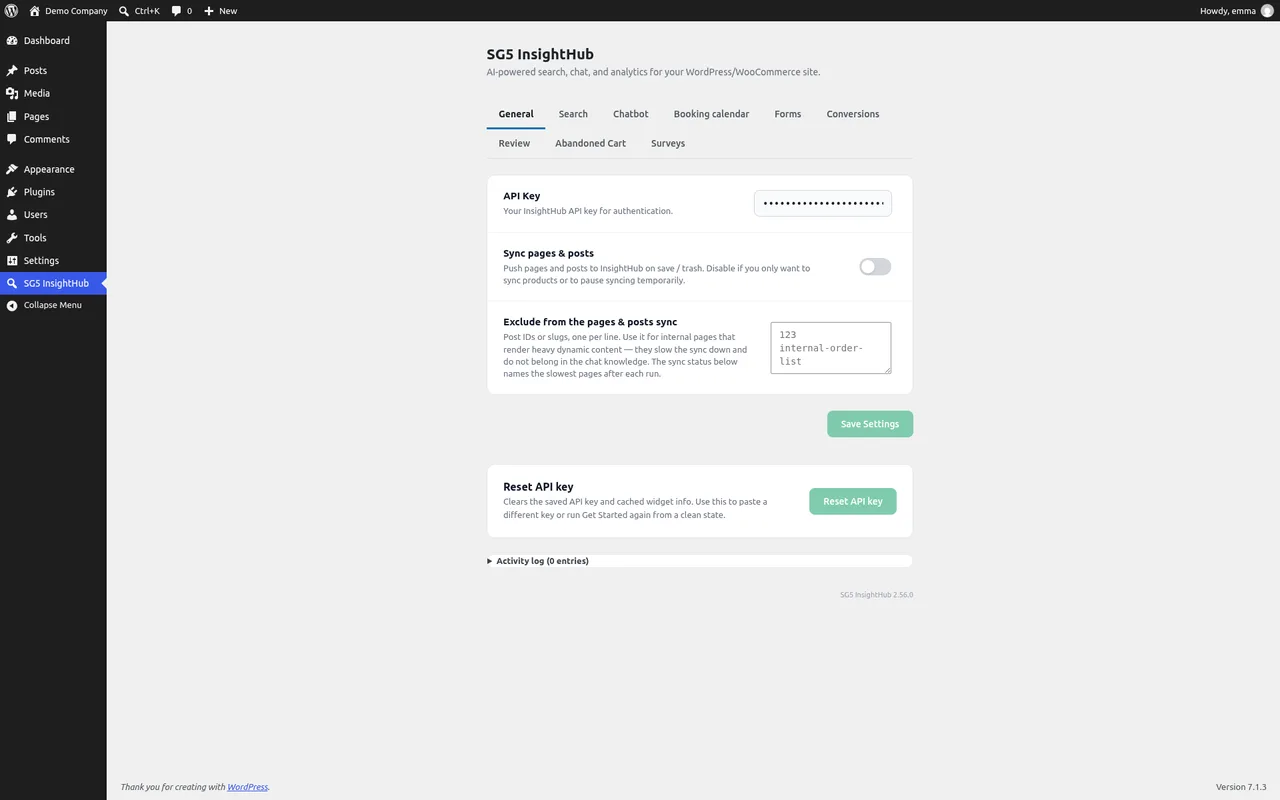
The switches live in your WordPress admin. Leads, conversations, forms and appointments are handled in InsightHub — by your whole team, in one place.
Works in the editor
you already use.
Forms and the booking calendar come as a block, a Bricks element and an Elementor widget — and as shortcodes for every other theme or builder.
Block editor
The InsightHub Form and InsightHub Booking blocks: insert the block, pick the form or booking page, publish.
Elementor
Widgets for forms and the booking calendar — and the InsightHub action for Elementor Pro forms, so the forms you already have send their submissions to InsightHub.
Bricks
Elements for forms and the booking calendar — and the form action for the Bricks form element, with the fields you map.
Shortcodes
[sg5ih_form], [sg5ih_booking] and [sg5ih_reviews] for every other theme or builder.
Static WordPress sites
You publish a static export of your site with BrickStatic or Simply Static? Support for InsightHub forms on static exports is in preparation — the details will follow here and in the help center.
Off by default,
opt-in by design.
Hosting and AI processing in the EU. The plugin sends nothing until you enter an API key and switch on the feature that needs it.
Every feature opt-in
All personal-data features are off by default and switched on one by one. Customer identity fields are only ever sent when you enable the corresponding toggle. Deleting the plugin removes everything it stored on your site.
WordPress privacy tools
Personal data from abandoned-cart capture is included in Tools → Export Personal Data and Erase Personal Data, and suggested privacy-policy text is provided.
Consent for analytics
The plugin registers with the WP Consent API. For search logging and cart capture, the anonymous visitor id is only used after statistics consent when a consent plugin is active.
Conversions, clearly scoped
Form conversions and order attribution are functional: they set the first-party ih_vid cookie, a random id with no profile, only to link a submitted lead or a placed order to its visit. With conversion tracking set up in InsightHub, you choose: without cookies, for the browser tab only, or with a cookie after statistics consent.
Live in three steps.
No ZIP, no FTP: the plugin comes from the WordPress.org directory and updates like any other plugin.
Install the plugin
In your WordPress admin, go to Plugins → Add New, search for “SG5 InsightHub”, install and activate it.
WordPress.orgConnect your account
Open InsightHub in the admin menu. The setup wizard connects your InsightHub account with its API key.
Setup wizardSwitch on what you need
Chat widget, forms, booking calendar, search refinement, conversion tracking, order tracking, abandoned-cart capture — each stays off until you turn it on.
One switch eachThe plugin is free.
Chat, leads, helpdesk, booking, voice and search run on InsightHub, so you need an InsightHub account. Try it for 14 days without a credit card, then choose the plan that fits your site.
In short.
Do I need an InsightHub account?
Yes. Chat, leads, helpdesk, booking, voice and the smart search run on InsightHub, so you need an InsightHub account and its API key. You can start with a free trial.
What does it cost?
The plugin itself is free. InsightHub is a paid plan per website, which you can try for 14 days without a credit card.
Does it work without WooCommerce?
Yes. Chat, leads and forms, helpdesk, booking and search work on any WordPress site. Order tracking, abandoned carts, the reviews slider and the post-purchase banner need WooCommerce.
Which page builders are supported?
The block editor (InsightHub Form and InsightHub Booking blocks), Elementor (widgets, and the InsightHub action for Elementor Pro forms), Bricks (elements, and the form action), and shortcodes for every other theme or builder.
Which languages does the assistant speak?
The assistant answers in the language the visitor writes or speaks. The chat widget is available in eight languages, the booking page in German and English, and the InsightHub app in German, English and Indonesian.
Is it GDPR-friendly?
Yes. All personal-data features are off by default and individually opt-in. The plugin registers with the WP Consent API and gates its analytics — search logging and cart capture — on statistics consent, and hooks abandoned-cart data into the WordPress personal-data export and erase tools. Form conversions and order attribution are functional rather than analytical: when enabled, they set an anonymous first-party id so a submitted lead or a placed order can be tied to its visit. Deleting the plugin removes everything it stored on your site.
What happens if InsightHub is unreachable?
Search falls back to the native WordPress search, forms and the booking calendar show a short notice instead of the embed, and the chat widget does not load. Nothing on your site breaks.
InsightHub works on any website.
Shopify, Magento, Shopware or a site without a CMS: a single script tag embeds the assistant.